Copy your answer
Copy text or Markdown from your AI conversation, or open a saved document. Use Markdown source when the copied formatting is incomplete.
 Text Edit MD
YOUR AI ANSWERS. YOUR DOCUMENTS.
Take a useful AI answer out of the chat and onto the page. Keep the equations, tables, code, and pictures that make it worth saving.
Portable ZIP — just 3.81 MB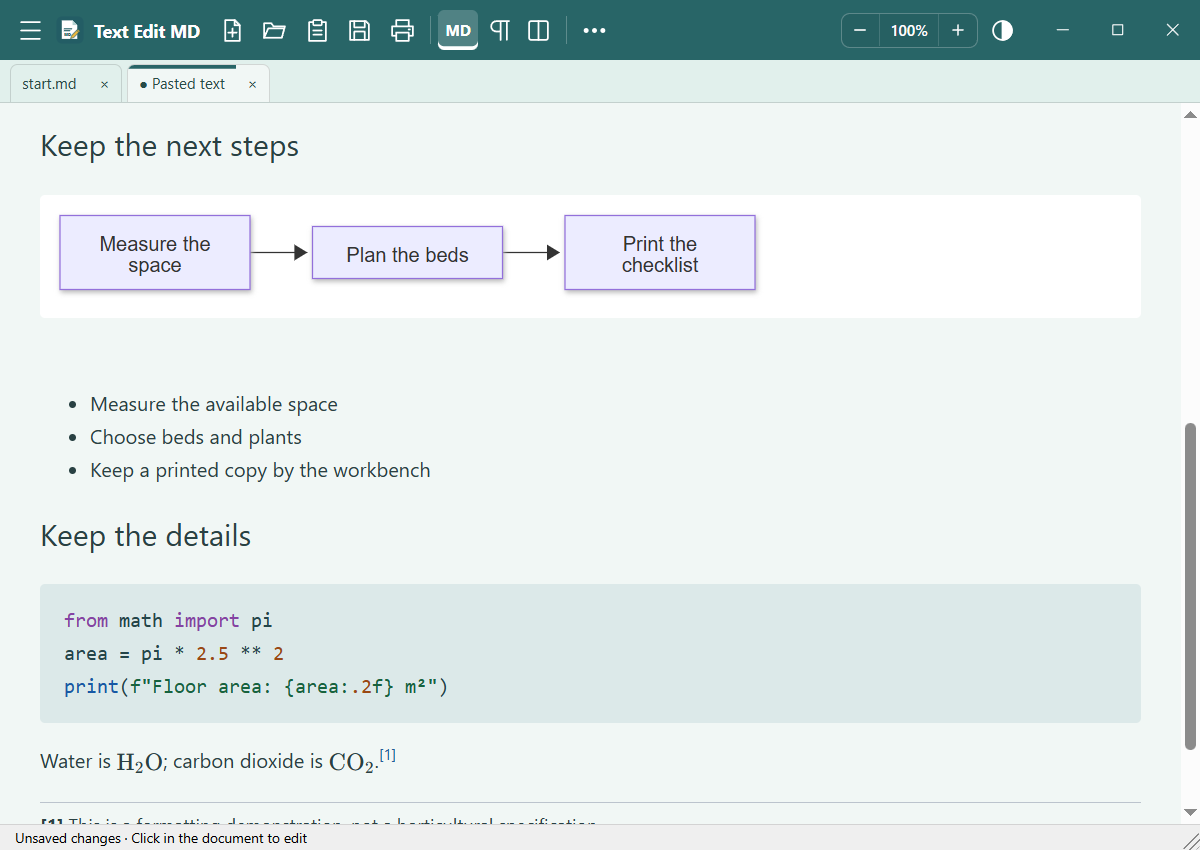
PRINT AI ANSWERS WITHOUT THE CLEANUP
Keep a study explanation, a repair checklist, a recipe, or a technical note. Start with the answer you want—not the entire chat window.
Copy text or Markdown from your AI conversation, or open a saved document. Use Markdown source when the copied formatting is incomplete.
Choose Paste copied text. Edit the words, check the formulas, and import linked pictures when their addresses are included.
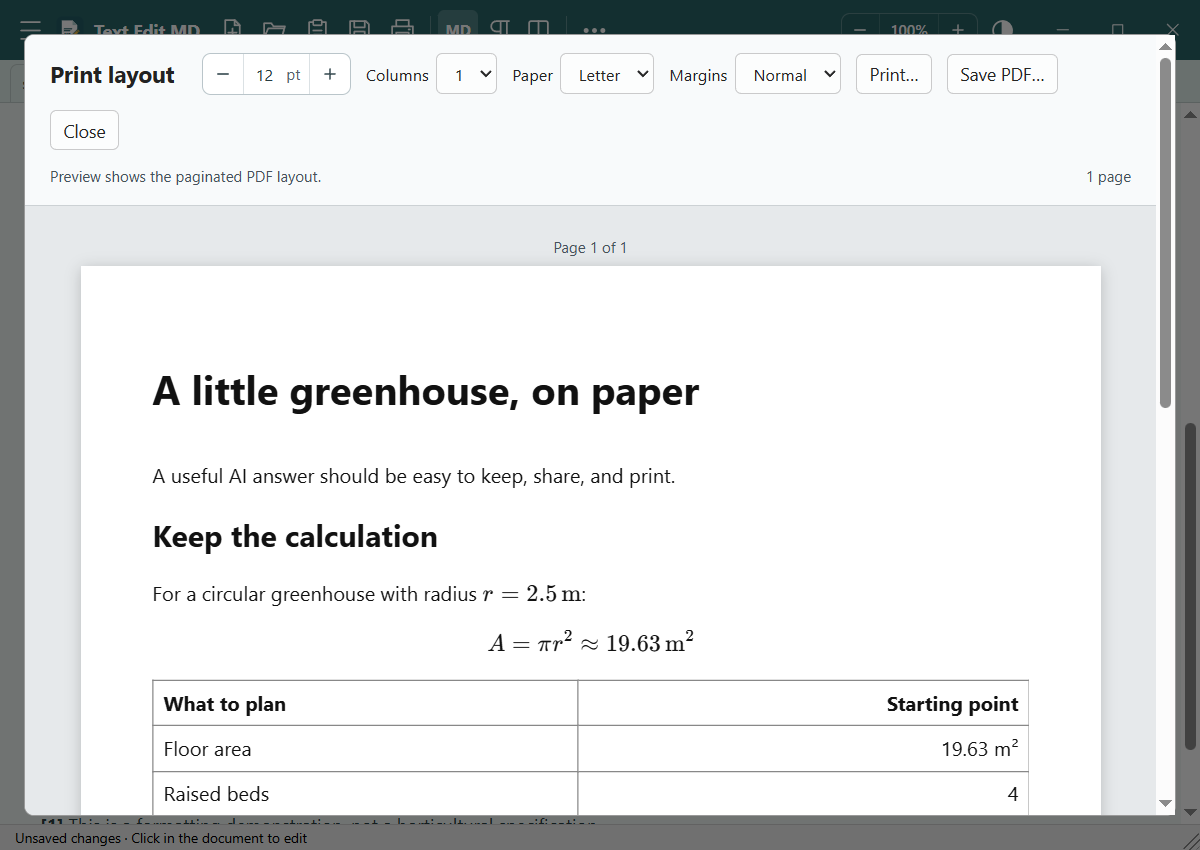
Choose the text size, paper, margins, and columns. Check the paginated preview, then print or save your PDF.
SEE WHAT GOES ON THE PAGE
A formula should look like a formula. A table should still be a table. Preview the pages before you use paper.
This sample was printed by Text Edit MD 0.10.0.
MORE THAN PLAIN TEXT
A small Windows download with room for the details. Supported content stays editable in Markdown and can be rendered for print or PDF.
Render LaTeX math, chemical formulas, reactions, and units. Click a formula to edit its source.
Turn supported Mermaid source into flowcharts and sequence diagrams. Unsupported diagrams keep their source visible.
Keep table columns, lists, and checkboxes. Language-tagged code gets syntax coloring for 15 languages.
Insert a picture or import its link, then save the image inside your Markdown file. Embedded pictures also print to PDF.
What happens when Copy leaves pictures out? →Keep Markdown footnote references linked to their notes. The printed document collects notes at the end.
Use Ctrl+C to copy Markdown and formatted HTML, including embedded pictures. Choose Copy simple for readable text.
SMALL DOWNLOAD. LOCAL DOCUMENTS.
Read, edit, and print without an account or document upload. Text Edit MD processes your content locally. Importing a linked picture contacts its host only when you choose to import it.
Use it for AI answers, ordinary text, Markdown files, and saved HTML. Open a file, drop one in, or just start typing.
How privacy and local storage work →WHEN THE COPY ISN’T THE WHOLE STORY
Copy useful answers, preserve their structure, and make a PDF or paper copy.
Read the guide →TECHNICAL ANSWERSTake equations, code, tables, and Mermaid from source to a printable page.
Read the guide →MISSING PICTURESLearn what the clipboard carries and how to keep pictures in your document.
Read the guide →AI TO PRINT. READY WHEN YOU ARE.
Text Edit MD 0.10.0
Free for Windows 10 and 11 · x64
Created by KW Mackey for the everyday job of getting useful text out of a conversation and into a document you can keep.
Guided setup, Start menu entry, optional desktop shortcut.
Extract the whole folder. Open Text Edit MD.exe. No installation.
Requires Microsoft Edge WebView2 Runtime and .NET Framework 4.8. The downloads use your system’s WebView2; they do not include it. Mac and phone editions are not available.
Installer unsigned: Windows may show an unfamiliar-publisher warning. Download only if you trust the source. Verify SHA-256 checksums.
A FEW PRACTICAL ANSWERS
No. Text Edit MD reads and formats content you already have. Copy your answer from an AI app, open a file, or write your own text. No AI account connection or API key is needed.
You can paste the text or Markdown those apps put on the clipboard. Text Edit MD does not connect to your chat account or fetch an entire conversation. What arrives depends on what the source app copies; pictures sometimes need a separate import. Follow the copy-and-print guide.
No. If Copy includes image data, the picture can be embedded. If it includes an image address, use Import linked images. If it includes neither, insert a saved picture or copy the picture separately. See how image copying works.
Yes. Open .txt, .md, .markdown, or saved HTML. Edit plain text, work in formatted Markdown, or switch to Source or split view. The AI-to-print workflow is one use of Text Edit MD.
Yes. It runs without installation, but preferences, the WebView cache, and save backups live in your Windows app-data folder. Your documents stay where you save them. Keep all extracted program files together.
The app uses the Microsoft Edge WebView2 runtime installed on the computer instead of including another browser runtime in the download. The ZIP is 3.81 MB and the installer is 5.57 MB; additional storage is used by the extracted app and local caches.